


Ergotron Laptop & Notebook Mounts

5 products



Ergotron Laptop Mounts for Ergonomic Workspaces
Ergotron laptop mounts provide flexible and ergonomic positioning for laptops and notebooks in different working environments. Instead of leaving the device directly on the desktop, a suitable mounting solution can raise and position it within its supported adjustment range. The range includes desk and wall mounting solutions, combined laptop and monitor systems, and mobile workstations.
A laptop mount can be particularly useful when a notebook is used for extended periods. Raising the device and combining it with an external keyboard and mouse allows the screen position to be adjusted independently from the input devices.
The appropriate solution depends on laptop dimensions and weight, available workspace and the required mounting and adjustment options.
Laptop desk mounts for flexible workspaces
A laptop desk mount attaches to the workstation and supports the notebook on a suitable tray. Articulated systems allow the position of the device to be changed within the available movement range.
An adjustable arm may provide height, depth and viewing-angle adjustments, depending on its design. This allows the laptop to be raised or moved closer to the required working position. Swivelling designs provide additional flexibility.
Combining the laptop mount with a separate keyboard and mouse can create a more adaptable workstation. Raising the notebook may also free up useful desktop space.
Depending on the model, installation may use a desk clamp or a suitable grommet mounting method.
Laptop wall mounts for additional workspace
Wall-mounted laptop holders provide an alternative to desktop installation. The notebook is positioned independently of the desk on a suitable supporting wall.
A wall mount with an articulated arm may provide height and positioning adjustments, depending on the model. The laptop can therefore be positioned for the required task and moved away from the immediate working area when necessary.
This mounting method can be particularly useful where desktop space is limited or equipment needs to be installed independently of the furniture.
The supporting wall must be suitable for the intended load and installation method.
Positioning a laptop and monitor together
Workstations using an external display can combine the monitor and notebook within one mounting arrangement.
A combined monitor mounting system can provide an organised display arrangement while making efficient use of the available desktop space.
Depending on the system, the monitor and laptop can be positioned independently within their supported adjustment ranges. The external monitor can therefore be used as the primary display while the laptop screen provides additional viewing space.
Both monitor requirements and laptop dimensions and weight must be considered when selecting a suitable system.
Laptop stands as a compact alternative
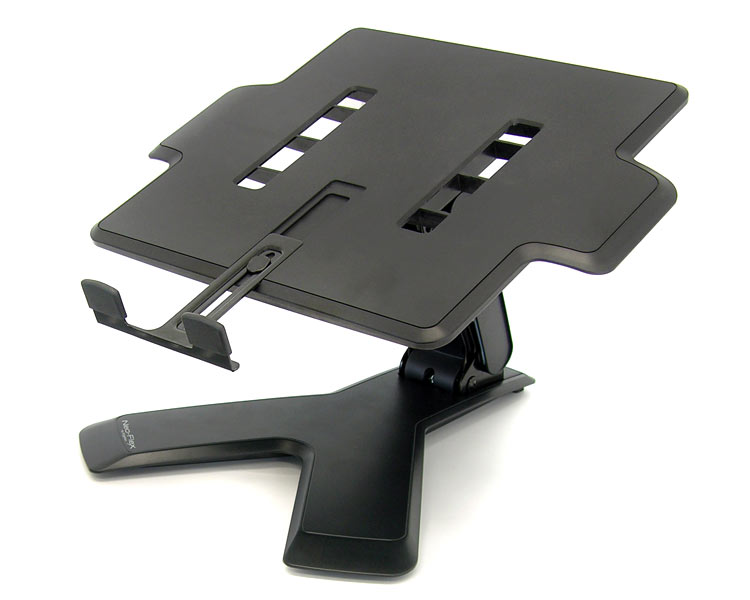
Not every workstation requires an articulated mounting arm. A laptop stand provides a straightforward way to raise a notebook above the desktop.
Unlike an articulated arm, the stand remains directly on the work surface. This can make it suitable where attachment to a desk or wall is not required.
Stable positioning and compatibility with the device are important considerations. An external keyboard and mouse can also be useful with this type of setup.
Mobile laptop mounts and workstations
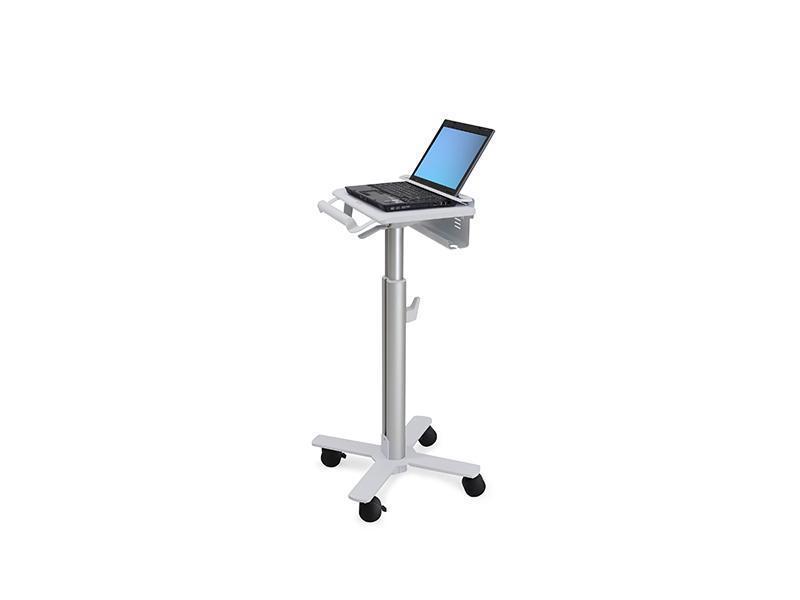
Ergotron also offers mobile workstation solutions for laptops. Laptop carts support the device on a mobile structure and can be used in environments where the workstation needs to change location.
These systems can be used in professional and healthcare environments where the workstation needs to move regularly between different locations.
Overall dimensions, adjustment options, required work surfaces and the intended environment should be considered when choosing a mobile workstation.
Which Ergotron laptop mount is suitable?
The first step is to determine whether the laptop will be used on a desk, attached to a wall or integrated into a mobile workstation. Laptop dimensions and weight and the required adjustment functions should then be considered.
For workstations with an additional display, a combined monitor and laptop mount may be appropriate. When working exclusively with a notebook, an articulated laptop mount or compact stand may provide a suitable solution.
Ergotron laptop mounts therefore provide different ways to integrate notebooks efficiently and flexibly into the workspace, ranging from simple stands and adjustable desk or wall mounts to combined monitor and laptop systems.